Profiling with VTune
This documentation is intended to help you configure Sassena and to
profile its performance by using profiling tool
Intel VTune Profiler.
Goals
To help installing Sassena
To help installing Intel Basic oneAPI Toolkit
To help using VTune for profiling Sassena
Intel oneAPI Base Toolkit
The Intel® oneAPI Base Toolkit comprises a set of libraries and implementations for developing High-Performance applications in a range of different computer architectures.
VTune and Advisor were used for profiling the Sassena code with different setups of MPI cores and threads/core. Below, a quick instruction on the prerequisites and installation of the Intel® oneAPI Base Toolkit for Linux system applications are given. For a detailed and complete guide about the Intel® oneAPI Base Toolkit, please check out here.
Profiling with VTune GUI
Within the Intel oneAPI Base Toolkit is VTune, which can be used for profiling HPC applications in C/C++ such as Sassena.
VTune can be set by a Graphical User Interface (GUI) on Linux OS:
Open the terminal and type: vtune-gui
Once the VTune GUI pops up, follow the steps below:
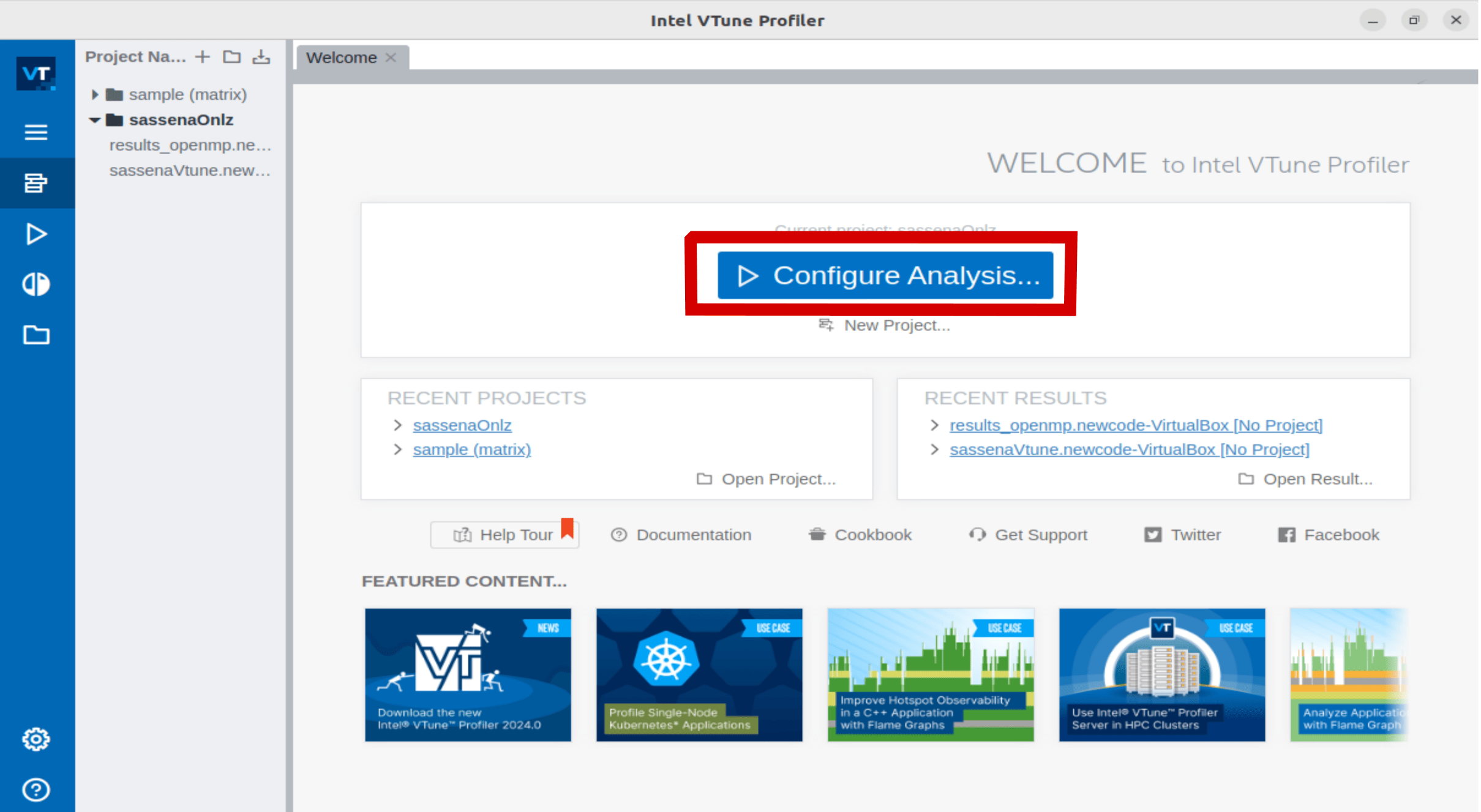
Step 01 - Start a new project by clicking on Configure Analysis |
Step 02 - Set paths for Application and Application Parameters |
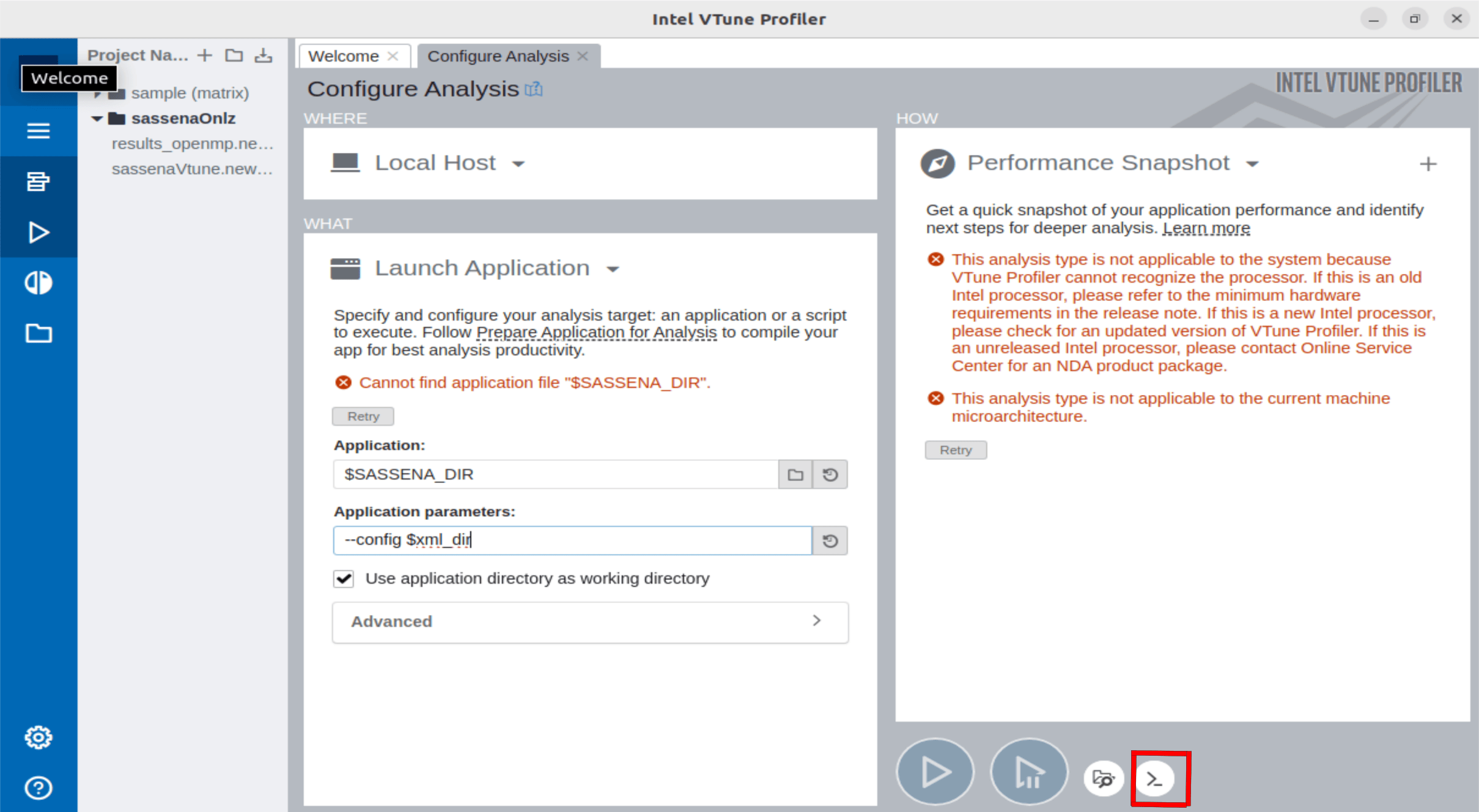
Step 03 - Click the most right-bottom button and copy the command to run VTune with MPI |
|---|---|---|
|
|
|
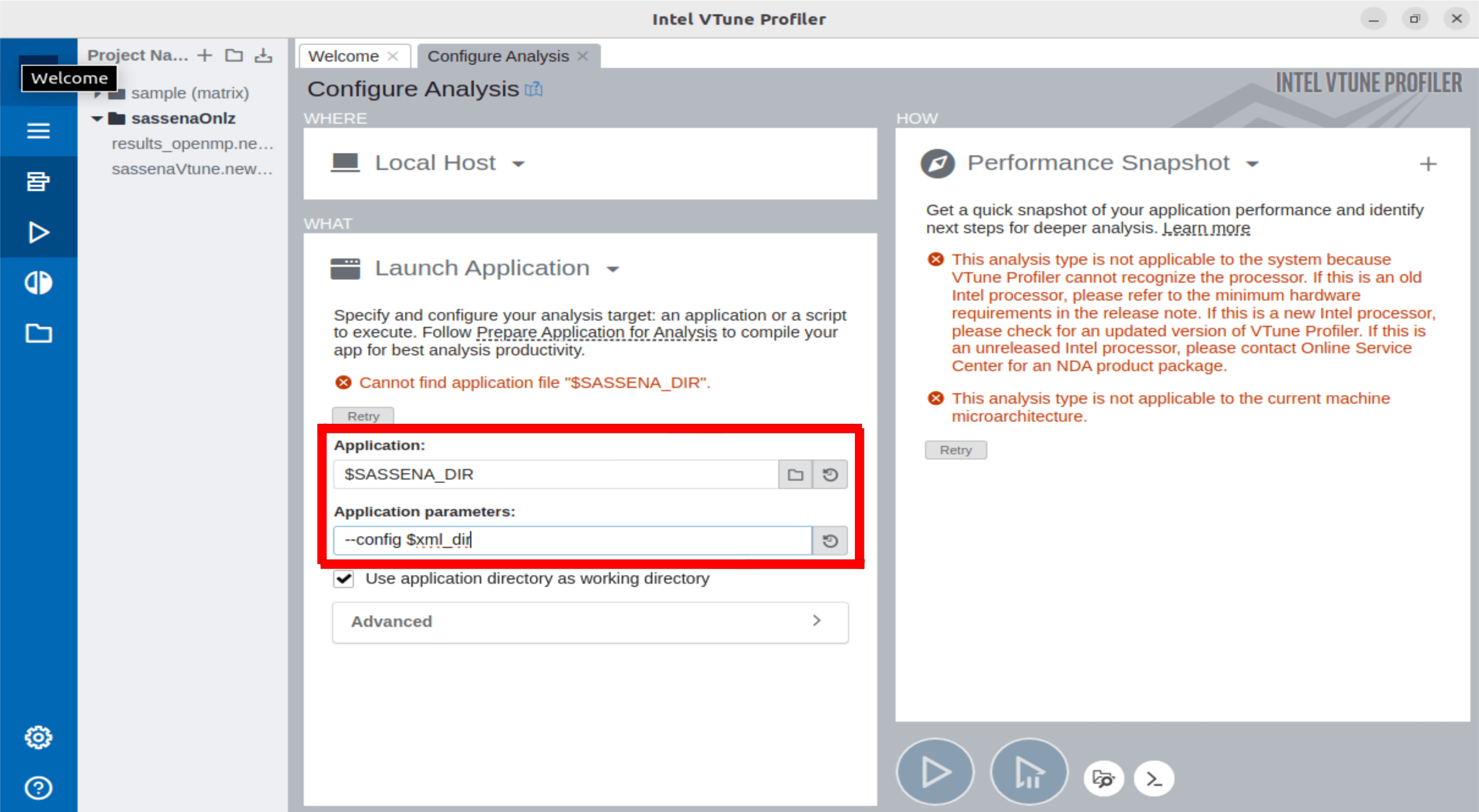
Write the following parameters in Step 02:
Application: global path of sassena binary application in compiler folder
Application parameters:
--config <global path of xml_file>
Open the terminal and paste the command copied from Step 03 in the following way:
mpirun -np {Number of Cores} {paste here the command from step 03}
VTune with MPI only - Command Example:
mpirun -np 8 /opt/intel/oneapi/vtune/2024.0/bin64/vtune -r /intel/vtune/projects/sassenaVtune/res_cohe2 -collect threading -target-duration-type=medium -data-limit=10000 -trace-mpi --app-working-dir=/home/newcode/intel/vtune/projects/sassenaVtune -- /home/newcode/projects/helmholtz/sassena/compile_debug/sassena --config /home/newcode/projects/helmholtz/sassena/coherent/n_str_coh.xml
VTune + MPI with Threads Limitation - Command Example:
mpirun -np 8 /opt/intel/oneapi/vtune/2024.0/bin64/vtune -r /intel/vtune/projects/sassenaVtune/res_cohe2 -collect threading -target-duration-type=medium -data-limit=10000 -trace-mpi --app-working-dir=/home/newcode/intel/vtune/projects/sassenaVtune -- /home/newcode/projects/helmholtz/sassena/compile_debug/sassena --limits.computation.threads=2 --config /home/newcode/projects/helmholtz/sassena/coherent/n_str_coh.xml